How to Make the GTA 6 Farewell AI Video (Prompt + Template)
The GTA 6 Farewell trend explained: what the video is, how to make it from one selfie in a few minutes, and the full timed prompt you can copy.
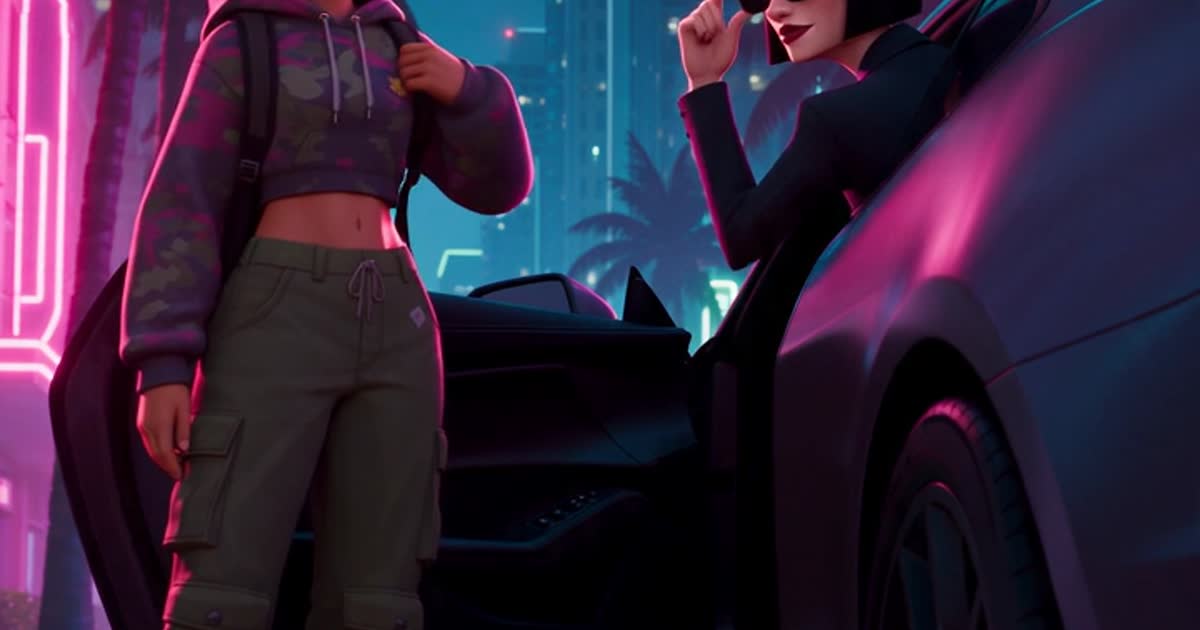
GTA 6 came out on November 19, 2026, and the first big trend arrived with it: the GTA 6 Farewell AI video. You say goodbye to your old GTA 5-era crew on a sunset hilltop, the camera rockets into the sky and drops into a neon Florida city, and a new crew picks you up in an open-top SUV.
Made with the Farewell template on GTA6 AI Video, with an original AI character instead of a real person.
What you need
- One selfie: sharp, front-facing, good light, no sunglasses.
- About 3 to 6 minutes of render time.
- 22 credits for the 15-second version at 480p (47 at 720p), about $2–$4.
Make it in 3 steps
- Open the GTA 6 AI video generator and tap The Farewell.
- Upload your selfie. Real person mode is switched on for you, so your face stays recognisable in the illustrated style.
- Tap Generate. You get a vertical 9:16 MP4 with dialogue, music and car sounds, ready for TikTok, Reels or Shorts.
The full Farewell prompt
The template fills this in for you. You can also edit it in the studio, for example to change the dialogue or the car. [Image1] is your uploaded photo.
A 15-second vertical illustrated animation. The main character is the person in [Image1], keep their face, hairstyle and skin tone exactly. [00:00-00:04] On a hilltop above a sprawling west-coast city at golden sunset, the main character stands with three old friends in 2010s streetwear; one friend daps them up and hugs them: "You really leavin'? Aight. Go handle your business." [00:04-00:07] The main character walks toward the camera, turns back once, the three friends wave goodbye. [00:07-00:09] The camera rockets straight up into the clouds, then plunges down into a modern Florida city at night: glass towers, palm-lined boulevard, pink and cyan neon, wet streets. [00:09-00:15] A four-door open-top SUV stops beside the main character; the woman in the front passenger seat lowers her sunglasses: "You coming or what?" The main character smiles and slides into the back seat as the SUV drives off. All dialogue in natural American English. Style: modern open-world crime video game cover art brought to life, bold clean black outlines, semi-realistic cel-shading with crisp hard-edged shadows, richly saturated colour, hot pink and electric cyan neon, warm golden sunset light. NOT live action, NOT a flat cartoon, NOT anime. No on-screen text, no logos, no HUD.Tips for a better result
- Write every line of dialogue exactly. The model speaks what is in quotes; vague instructions like "they say goodbye" produce random lines.
- Say who sits where. "Front passenger seat", "back seat" and "four-door SUV" stop the classic mistake of the character climbing over the windshield of a two-seater.
- Lock the style. The "NOT live action, NOT anime, no HUD" line keeps the cover-art look consistent from the first beat to the last.
- Keep it present-day. Add "modern 2026 city, not retro" if you get 1980s synthwave grids.
- Label it as AI when you post. TikTok and Instagram ask for it on realistic AI content.
Is this official?
No. GTA6 AI Video is an independent fan tool, not affiliated with Rockstar Games. The template uses original characters, places and music, and no game assets.

Newsletter
Join the community
Subscribe to our newsletter for the latest news and updates